# How to make HTTP requests with Axios
## How to make HTTP requests with Axios
###
January 26, 2021 9 min read

***Editor’s note**: This Axios tutorial was last updated on 26 January 2021.*
[Axios](https://github.com/axios/axios) is a client HTTP API based on the `XMLHttpRequest` interface provided by browsers.
In this tutorial, we’ll demonstrate how to make HTTP requests using Axios with clear examples, including how to make an Axios POST request with `axios.post()`, how to send multiple requests simultaneously with `axios.all()`, and much more.
We’ll cover the following in detail:
* [Why use Axios?](https://blog.logrocket.com/how-to-make-http-requests-like-a-pro-with-axios/#why)
* [Installing Axios](https://blog.logrocket.com/how-to-make-http-requests-like-a-pro-with-axios/#installing)
* [How to make an Axios POST request](https://blog.logrocket.com/how-to-make-http-requests-like-a-pro-with-axios/#axiospost)
* [Shorthand methods for Axios HTTP requests](https://blog.logrocket.com/how-to-make-http-requests-like-a-pro-with-axios/#shorthand)
* [What does `axios.post` return?](https://blog.logrocket.com/how-to-make-http-requests-like-a-pro-with-axios/#axiospostreturn)
* [Using `axios.all` to send multiple requests](https://blog.logrocket.com/how-to-make-http-requests-like-a-pro-with-axios/#axiosall)
* [Sending custom headers with Axios](https://blog.logrocket.com/how-to-make-http-requests-like-a-pro-with-axios/#customheaders)
* [POST JSON with Axios](https://blog.logrocket.com/how-to-make-http-requests-like-a-pro-with-axios/#postjson)
* [Transforming requests and responses](https://blog.logrocket.com/how-to-make-http-requests-like-a-pro-with-axios/#transforming)
* [Intercepting requests and responses](https://blog.logrocket.com/how-to-make-http-requests-like-a-pro-with-axios/#intercepting)
* [Client-side support for protection against XSRF](https://blog.logrocket.com/how-to-make-http-requests-like-a-pro-with-axios/#xsrf)
* [Monitoring POST request progress](https://blog.logrocket.com/how-to-make-http-requests-like-a-pro-with-axios/#monitoring)
* [Canceling requests](https://blog.logrocket.com/how-to-make-http-requests-like-a-pro-with-axios/#canceling)
* [Popular Axios libraries](https://blog.logrocket.com/how-to-make-http-requests-like-a-pro-with-axios/#axioslibraries)
* [Browser support](https://blog.logrocket.com/how-to-make-http-requests-like-a-pro-with-axios/#browsersupport)
If you’re more of a visual learner, check out the video tutorial below:
### Why use Axios?
The most common way for frontend programs to communicate with servers is through the HTTP protocol. You are probably familiar with the [Fetch API](https://blog.logrocket.com/axios-or-fetch-api/) and the `XMLHttpRequest` interface, which allows you to fetch resources and make HTTP requests.
If you’re using a JavaScript library, chances are it comes with a client HTTP API. jQuery’s `$.ajax()` function, for example, has been particularly popular with frontend developers. But as developers move away from such libraries in favor of native APIs, dedicated HTTP clients have emerged to fill the gap.
As with Fetch, Axios is promise-based. However, it provides a more powerful and flexible feature set.
Advantages of using Axios over the native Fetch API include:
* Request and response interception
* Streamlined error handling
* Protection against XSRF
* Support for upload progress
* Response timeout
* The ability to cancel requests
* Support for older browsers
* Automatic JSON data transformation
### Installing Axios
You can install Axios using:
* npm:
```
$ npm install axios
```
* The Bower package manager:
```
$ bower install axios
```
* Or a content delivery network:
```
```
### How to make an Axios POST request
Making an HTTP request is as easy as passing a config object to the Axios function. You can make a POST request using Axios to “post” data to a given endpoint and trigger events.
To perform an HTTP POST request in Axios, call `axios.post()`.
Making a POST request in Axios requires two parameters: the URI of the service endpoint and an object that contains the properties you wish to send to the server.
For a simple Axios POST request, the object must have a `url` property. If no method is provided, `GET` will be used as the default value.
Let’s look at a simple Axios POST example:
```
// send a POST request
axios({
method: 'post',
url: '/login',
data: {
firstName: 'Finn',
lastName: 'Williams'
}
});
```
This should look familiar to those who have worked with[ jQuery’s](https://blog.logrocket.com/the-history-and-legacy-of-jquery/) `$.ajax` function. This code is simply instructing Axios to send a POST request to `/login` with an object of key/value pairs as its data. Axios will automatically convert the data to JSON and send it as the request body.
### Shorthand methods for Axios HTTP requests
Axios also provides a set of shorthand methods for performing different types of requests. The methods are as follows:
* `axios.request(config)`
* `axios.get(url[, config])`
* `axios.delete(url[, config])`
* `axios.head(url[, config])`
* `axios.options(url[, config])`
* `axios.post(url[, data[, config]])`
* `axios.put(url[, data[, config]])`
* `axios.patch(url[, data[, config]])`
For instance, the following code shows how the previous example could be written using the `axios.post()` method:
```
axios.post('/login', {
firstName: 'Finn',
lastName: 'Williams'
});
```
### What does `axios.post` return?
Once an HTTP POST request is made, Axios returns a promise that is either fulfilled or rejected, depending on the response from the backend service.
To handle the result, you can use the `then()` method, like this:
```
axios.post('/login', {
firstName: 'Finn',
lastName: 'Williams'
})
.then((response) => {
console.log(response);
}, (error) => {
console.log(error);
});
```
If the promise is fulfilled, the first argument of `then()` will be called; if the promise is rejected, the second argument will be called. According to the [documentation](https://www.npmjs.com/package/axios#response-schema), the fulfillment value is an object containing the following information:
```
{
// `data` is the response that was provided by the server
data: {},
// `status` is the HTTP status code from the server response
status: 200,
// `statusText` is the HTTP status message from the server response
statusText: 'OK',
// `headers` the headers that the server responded with
// All header names are lower cased
headers: {},
// `config` is the config that was provided to `axios` for the request
config: {},
// `request` is the request that generated this response
// It is the last ClientRequest instance in node.js (in redirects)
// and an XMLHttpRequest instance the browser
request: {}
}
```
As an example, here’s how the response looks when requesting data from the GitHub API:
```
axios.get('https://api.github.com/users/mapbox')
.then((response) => {
console.log(response.data);
console.log(response.status);
console.log(response.statusText);
console.log(response.headers);
console.log(response.config);
});
// logs:
// => {login: "mapbox", id: 600935, node_id: "MDEyOk9yZ2FuaXphdGlvbjYwMDkzNQ==", avatar_url: "https://avatars1.githubusercontent.com/u/600935?v=4", gravatar_id: "", …}
// => 200
// => OK
// => {x-ratelimit-limit: "60", x-github-media-type: "github.v3", x-ratelimit-remaining: "60", last-modified: "Wed, 01 Aug 2018 02:50:03 GMT", etag: "W/"3062389570cc468e0b474db27046e8c9"", …}
// => {adapter: ƒ, transformRequest: {…}, transformResponse: {…}, timeout: 0, xsrfCookieName: "XSRF-TOKEN", …}
```
### Using `axios.all` to send multiple requests
One of Axios’ more interesting features is its ability to make multiple requests in parallel by passing an array of arguments to the [`axios.all()` method](https://blog.logrocket.com/using-axios-all-make-concurrent-requests/). This method returns a single promise object that resolves only when all arguments passed as an array have resolved.
Here’s a simple example of how to use `axios.all` to make simultaneous HTTP requests:
```
// execute simultaneous requests
axios.all([
axios.get('https://api.github.com/users/mapbox'),
axios.get('https://api.github.com/users/phantomjs')
])
.then(responseArr => {
//this will be executed only when all requests are complete
console.log('Date created: ', responseArr[0].data.created_at);
console.log('Date created: ', responseArr[1].data.created_at);
});
// logs:
// => Date created: 2011-02-04T19:02:13Z
// => Date created: 2017-04-03T17:25:46Z
```
This code makes two requests to the GitHub API and then logs the value of the `created_at` property of each response to the console. Keep in mind that if any of the arguments rejects then the promise will immediately reject with the reason of the first promise that rejects.
For convenience, Axios also provides a method called `axios.spread()` to assign the properties of the response array to separate variables. Here’s how you could use this method:
```
axios.all([
axios.get('https://api.github.com/users/mapbox'),
axios.get('https://api.github.com/users/phantomjs')
])
.then(axios.spread((user1, user2) => {
console.log('Date created: ', user1.data.created_at);
console.log('Date created: ', user2.data.created_at);
}));
// logs:
// => Date created: 2011-02-04T19:02:13Z
// => Date created: 2017-04-03T17:25:46Z
```
The output of this code is the same as the previous example. The only difference is that the `axios.spread()` method is used to unpack values from the response array.
### Sending custom headers with Axios
Sending custom headers with Axios is very straightforward. Simply pass an object containing the headers as the last argument. For example:
```
const options = {
headers: {'X-Custom-Header': 'value'}
};
axios.post('/save', { a: 10 }, options);
```
### POST JSON with Axios
Axios automatically serializes JavaScript objects to JSON when passed to the `axios.post` function as the second parameter. This eliminates the need to serialize POST bodies to JSON.
***
[Learn more →](https://lp.logrocket.com/blg/learn-more)
***
Axios also sets the `Content-Type` header to `application/json`. This enables web frameworks to automatically parse the data.
If you want to send a preserialized JSON string to `axios.post()` as JSON, you’ll need to make sure the `Content-Type` header is set.
### Transforming requests and responses
Although Axios automatically converts requests and responses to JSON by default, it also allows you to override the default behavior and define a different transformation mechanism. This is particularly useful when working with an API that accepts only a specific data format, such as XML or CSV.
To change request data before sending it to the server, set the `transformRequest` property in the config object. Note that this method only works for `PUT`, `POST`, and `PATCH` request methods.
Here’s an example of how to use `transformRequest` in Axios:
```
const options = {
method: 'post',
url: '/login',
data: {
firstName: 'Finn',
lastName: 'Williams'
},
transformRequest: [(data, headers) => {
// transform the data
return data;
}]
};
// send the request
axios(options);
```
To modify the data before passing it to `then()` or `catch()`, you can set the `transformResponse` property:
```
const options = {
method: 'post',
url: '/login',
data: {
firstName: 'Finn',
lastName: 'Williams'
},
transformResponse: [(data) => {
// transform the response
return data;
}]
};
// send the request
axios(options);
```
### Intercepting requests and responses
HTTP interception is a popular feature of Axios. With this feature, you can examine and change HTTP requests from your program to the server and vice versa, which is very useful for a variety of implicit tasks, such as logging and authentication.
At first glance, interceptors look very much like transforms, but they differ in one key way: unlike transforms, which only receive the data and headers as arguments, interceptors receive the entire response object or request config.
You can declare a request interceptor in Axios like this:
```
// declare a request interceptor
axios.interceptors.request.use(config => {
// perform a task before the request is sent
console.log('Request was sent');
return config;
}, error => {
// handle the error
return Promise.reject(error);
});
// sent a GET request
axios.get('https://api.github.com/users/mapbox')
.then(response => {
console.log(response.data.created_at);
});
```
This code logs a message to the console whenever a request is sent then waits until it gets a response from the server, at which point it prints the time the account was created at GitHub to the console. One advantage of using interceptors is that you no longer have to implement tasks for each HTTP request separately.
Axios also provides a response interceptor, which allows you to transform the responses from a server on their way back to the application:
```
// declare a response interceptor
axios.interceptors.response.use((response) => {
// do something with the response data
console.log('Response was received');
return response;
}, error => {
// handle the response error
return Promise.reject(error);
});
// sent a GET request
axios.get('https://api.github.com/users/mapbox')
.then(response => {
console.log(response.data.created_at);
});
```
### Client-side support for protection against XSRF
Cross-site request forgery (or XSRF for short) is a method of attacking a web-hosted app in which the attacker disguises himself as a legal and trusted user to influence the interaction between the app and the user’s browser. There are many ways to execute such an attack, including `XMLHttpRequest`.
***
#### More great articles from LogRocket:
* Don't miss a moment with [The Replay](https://lp.logrocket.com/subscribe-thereplay), a curated newsletter from LogRocket
* [Learn](https://blog.logrocket.com/rethinking-error-tracking-product-analytics/) how LogRocket's Galileo cuts through the noise to proactively resolve issues in your app
* Use React's useEffect [to optimize your application's performance](https://blog.logrocket.com/understanding-react-useeffect-cleanup-function/)
* Switch between [multiple versions of Node](https://blog.logrocket.com/switching-between-node-versions-during-development/)
* [Discover how to animate](https://blog.logrocket.com/animate-react-app-animxyz/) your React app with AnimXYZ
* [Explore Tauri](https://blog.logrocket.com/rust-solid-js-tauri-desktop-app/), a new framework for building binaries
* Compare [NestJS vs. Express.js](https://blog.logrocket.com/nestjs-vs-express-js/)
***
Fortunately, Axios is designed to protect against XSRF by allowing you to embed additional authentication data when making requests. This enables the server to discover requests from unauthorized locations. Here’s how this can be done with Axios:
```
const options = {
method: 'post',
url: '/login',
xsrfCookieName: 'XSRF-TOKEN',
xsrfHeaderName: 'X-XSRF-TOKEN',
};
// send the request
axios(options);
```
### 200’s only  Monitor failed and slow Axios requests in production
While Axios has some features for debugging requests and responses, making sure Axios continues to serve resources to your app in production is where things get tougher. If you’re interested in ensuring requests to the backend or 3rd party services are successful, [try LogRocket](https://logrocket.com/signup/). [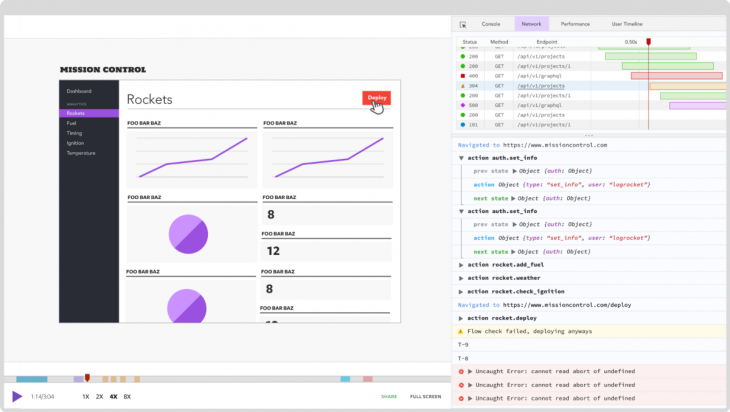](https://logrocket.com/signup/)
[LogRocket](https://logrocket.com/signup/) is like a DVR for web apps, recording literally everything that happens on your site. Instead of guessing why problems happen, you can aggregate and report on problematic Axios requests to quickly understand the root cause.
LogRocket instruments your app to record baseline performance timings such as page load time, time to first byte, and slow network requests as well as logs Redux, NgRx. and Vuex actions/state. [Start monitoring for free](https://logrocket.com/signup/).
### Monitoring POST request progress
Another interesting feature of Axios is the ability to monitor request progress. This is especially useful when downloading or uploading large files. The [provided example](https://github.com/axios/axios/blob/master/examples/upload/index.html) in the Axios documentation gives you a good idea of how that can be done. But for the sake of simplicity and style, we are going to use the [Axios Progress Bar](https://github.com/rikmms/progress-bar-4-axios/) module in this tutorial.
The first thing we need to do to use this module is to include the related style and script:
```
```
Then we can implement the progress bar like this:
```
loadProgressBar()
const url = 'https://media.giphy.com/media/C6JQPEUsZUyVq/giphy.gif';
function downloadFile(url) {
axios.get(url)
.then(response => {
console.log(response)
})
.catch(error => {
console.log(error)
})
}
downloadFile(url);
```
To change the default styling of the progress bar, we can override the following style rules:
```
#nprogress .bar {
background: red !important;
}
#nprogress .peg {
box-shadow: 0 0 10px red, 0 0 5px red !important;
}
#nprogress .spinner-icon {
border-top-color: red !important;
border-left-color: red !important;
}
```
### Canceling requests
In some situations, you may no longer care about the result and want to cancel a request that’s already sent. This can be done by using a cancel token. The ability to cancel requests was added to Axios in version 1.5 and is based on the [cancelable promises proposal](https://github.com/tc39/proposal-cancelable-promises). Here’s a simple example:
```
const source = axios.CancelToken.source();
axios.get('https://media.giphy.com/media/C6JQPEUsZUyVq/giphy.gif', {
cancelToken: source.token
}).catch(thrown => {
if (axios.isCancel(thrown)) {
console.log(thrown.message);
} else {
// handle error
}
});
// cancel the request (the message parameter is optional)
source.cancel('Request canceled.');
```
You can also create a cancel token by passing an executor function to the `CancelToken` constructor, as shown below:
```
const CancelToken = axios.CancelToken;
let cancel;
axios.get('https://media.giphy.com/media/C6JQPEUsZUyVq/giphy.gif', {
// specify a cancel token
cancelToken: new CancelToken(c => {
// this function will receive a cancel function as a parameter
cancel = c;
})
}).catch(thrown => {
if (axios.isCancel(thrown)) {
console.log(thrown.message);
} else {
// handle error
}
});
// cancel the request
cancel('Request canceled.');
```
### Popular Axios libraries
Axios’ rise in popularity among developers has resulted in a rich selection of third-party libraries that extend its functionality. From testers to loggers, there’s a library for almost any additional feature you may need when using Axios. Here are some popular libraries currently available:
* [axios-vcr](https://github.com/nettofarah/axios-vcr):  Record and replay requests in JavaScript
* [axios-response-logger](https://github.com/srph/axios-response-logger):  Axios interceptor which logs responses
* [axios-method-override](https://github.com/jacobbuck/axios-method-override):  Axios request method override plugin
* [axios-extensions](https://github.com/kuitos/axios-extensions):  Axios extensions lib, including throttle and cache GET request features
* [axios-api-versioning](https://weffe.github.io/axios-api-versioning): Add easy-to-manage API versioning to Axios
* [axios-cache-plugin](https://github.com/jin5354/axios-cache-plugin): Helps you cache GET requests when using Axios
* [axios-cookiejar-support](https://github.com/3846masa/axios-cookiejar-support): Add tough-cookie support to Axios
* [react-hooks-axios](https://github.com/use-hooks/react-hooks-axios): Custom React Hooks for Axios
* [moxios](https://github.com/axios/moxios): Mock Axios requests for testing
* [redux-saga-requests](https://github.com/klis87/redux-saga-requests): Redux-Saga add-on to simplify handling of AJAX requests
* [axios-fetch](https://github.com/lifeomic/axios-fetch): A Web API Fetch implementation backed by an Axios client
* [axios-curlirize](https://www.npmjs.com/package/axios-curlirize): Log any Axios request as a curl command in the console
* [axios-actions](https://github.com/davestewart/axios-actions): Bundle endpoints as callable, reusable services
* [mocha-axios](https://github.com/jdrydn/mocha-axios): HTTP assertions for Mocha using Axios
* [axios-mock-adapter](https://github.com/ctimmerm/axios-mock-adapter): Axios adapter that allows you to easily mock requests
* [axios-debug-log](https://github.com/Gerhut/axios-debug-log): Axios interceptor of logging request and response with debug library
* [redux-axios-middleware](https://github.com/svrcekmichal/redux-axios-middleware): Redux middleware for fetching data with Axios HTTP client
* [axiosist](https://github.com/Gerhut/axiosist): Axios-based supertest: convert nNode.js request handler to Axios adapter, used for Node.js server unit test
### Browser support
When it comes to browser support, Axios is very reliable. Even older browsers such as IE 11 work well with Axios.
| Chrome | Firefox | Safari | Edge | IE |
| ------------------------------------------------------------------------------------------------ | ------------------------------------------------------------------------------------------------ | ------------------------------------------------------------------------------------------------ | ------------------------------------------------------------------------------------------------ | -- |
|  |  |  |  | 11 |
### Wrapping up
There’s a good reason Axios is so popular among developers: it’s packed with useful features. In this post, we’ve taken a good look at several key features of Axios and learned how to use them in practice. But there are still many aspects of Axios that we’ve not discussed. So be sure to check out the [Axios GitHub page](https://github.com/axios/axios) to learn more.
Do you have some tips on using Axios? Let us know in the comments!